> ## Documentation Index
> Fetch the complete documentation index at: https://docs.axoma.ai/llms.txt
> Use this file to discover all available pages before exploring further.
# Salesforce
## Steps to Set Up OAuth in Salesforce
#### Create a Connected App
1. In Salesforce, go to Setup.
2. In the Quick Find box, enter Apps and select App Manager.
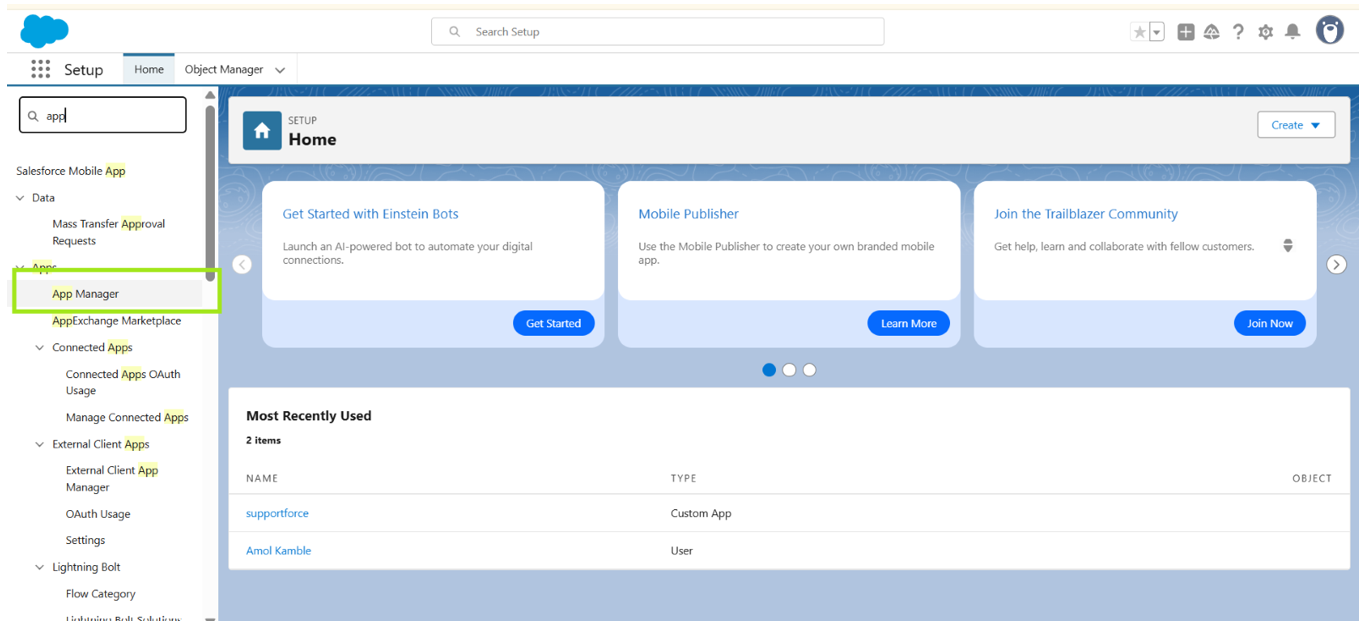 3. Click New Connected App to create a new app.
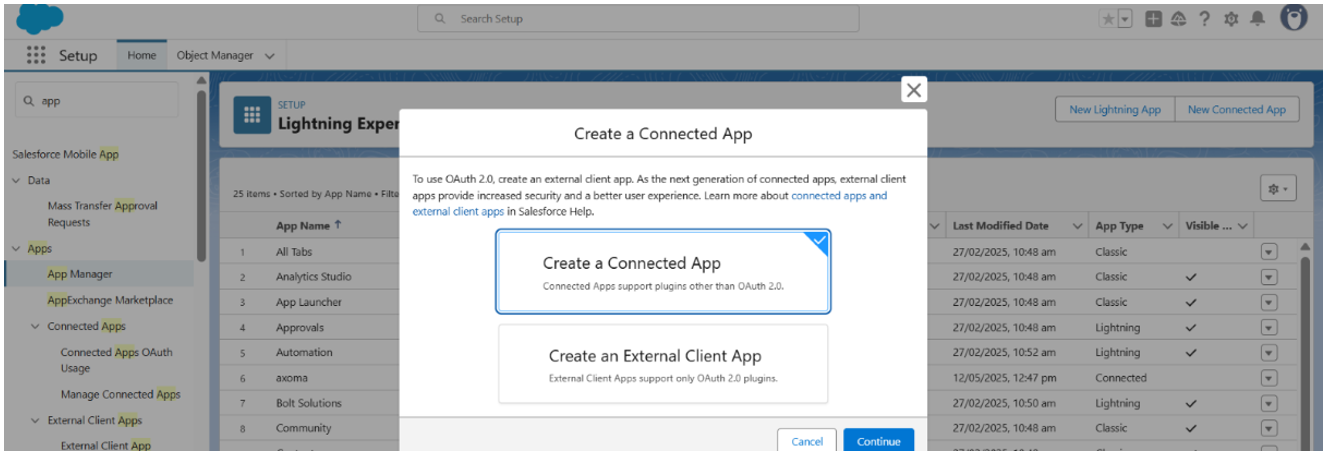 4. Fill in the required fields, including the Connected App Name and API Name.
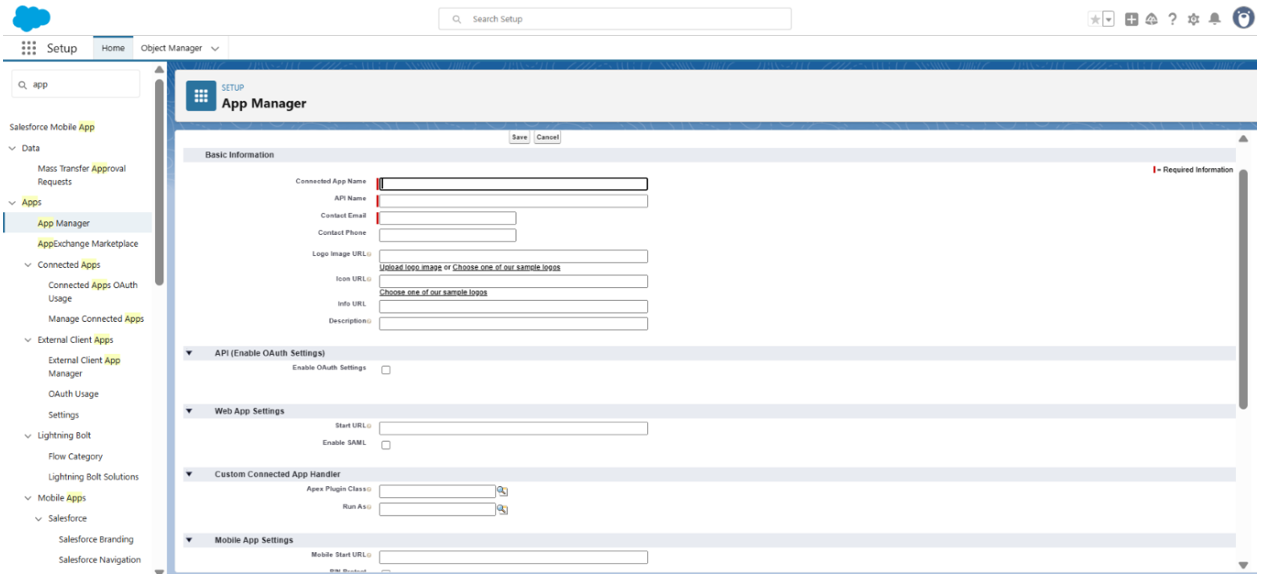 #### Enable OAuth Settings
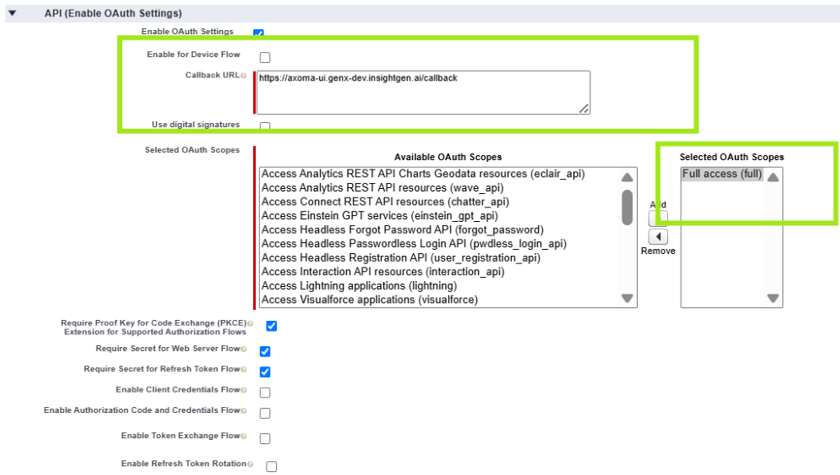
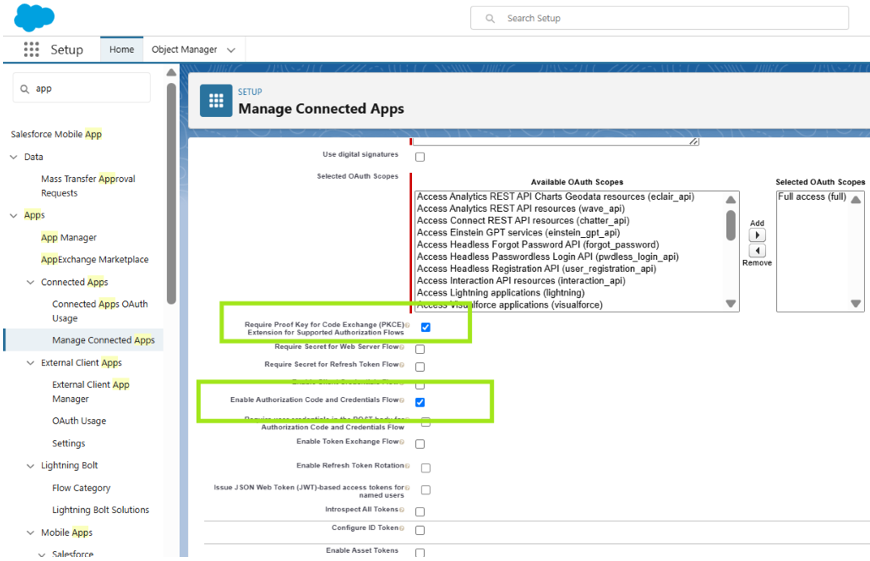
1. In the connected app settings, check the box for Enable OAuth Settings.
2. Specify the Callback URL (this is the URL where Salesforce will redirect after successful authorization). Ensure it uses HTTPS.
3. Select the OAuth Scopes that define the level of access your app will have. Common scopes include api, refresh\_token, and full.
#### Enable OAuth Settings
1. In the connected app settings, check the box for Enable OAuth Settings.
2. Specify the Callback URL (this is the URL where Salesforce will redirect after successful authorization). Ensure it uses HTTPS.
3. Select the OAuth Scopes that define the level of access your app will have. Common scopes include api, refresh\_token, and full.
 #### Choose the OAuth Flow
Depending on your application type, choose the appropriate OAuth flow. Common flows include:
1. Authorization Code Flow: For web applications where users log in and authorize access.
2. Client Credentials Flow: For server-to-server communication without user interaction.
#### Choose the OAuth Flow
Depending on your application type, choose the appropriate OAuth flow. Common flows include:
1. Authorization Code Flow: For web applications where users log in and authorize access.
2. Client Credentials Flow: For server-to-server communication without user interaction.
 #### Save & Manage Consumer Details
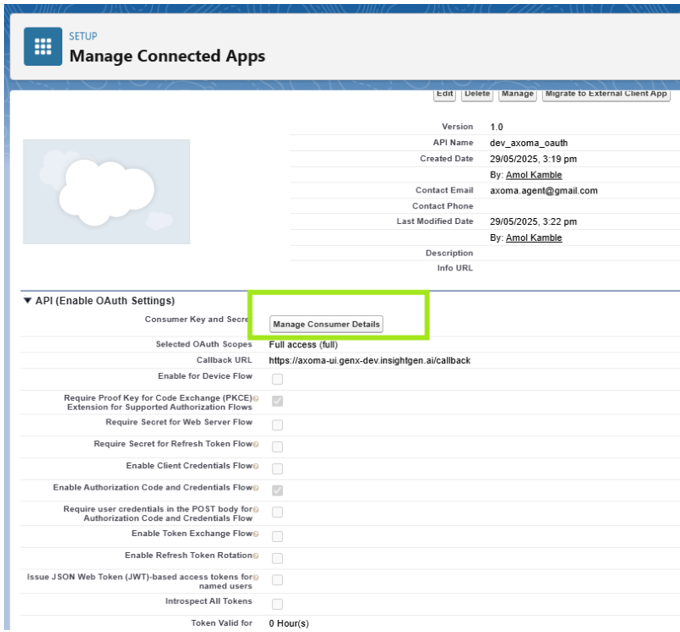 You may need to verify your identity to access these details.