> ## Documentation Index
> Fetch the complete documentation index at: https://docs.axoma.ai/llms.txt
> Use this file to discover all available pages before exploring further.
# Organization
The Organization Settings module in Axoma’s Global Settings allows Super Admins and authorized users to manage key organizational details that define the identity and governance of their company within the platform.
Access Control: This module is accessible only to [Super Admin](http://localhost:3000/introduction/introduction#super-admin) users.
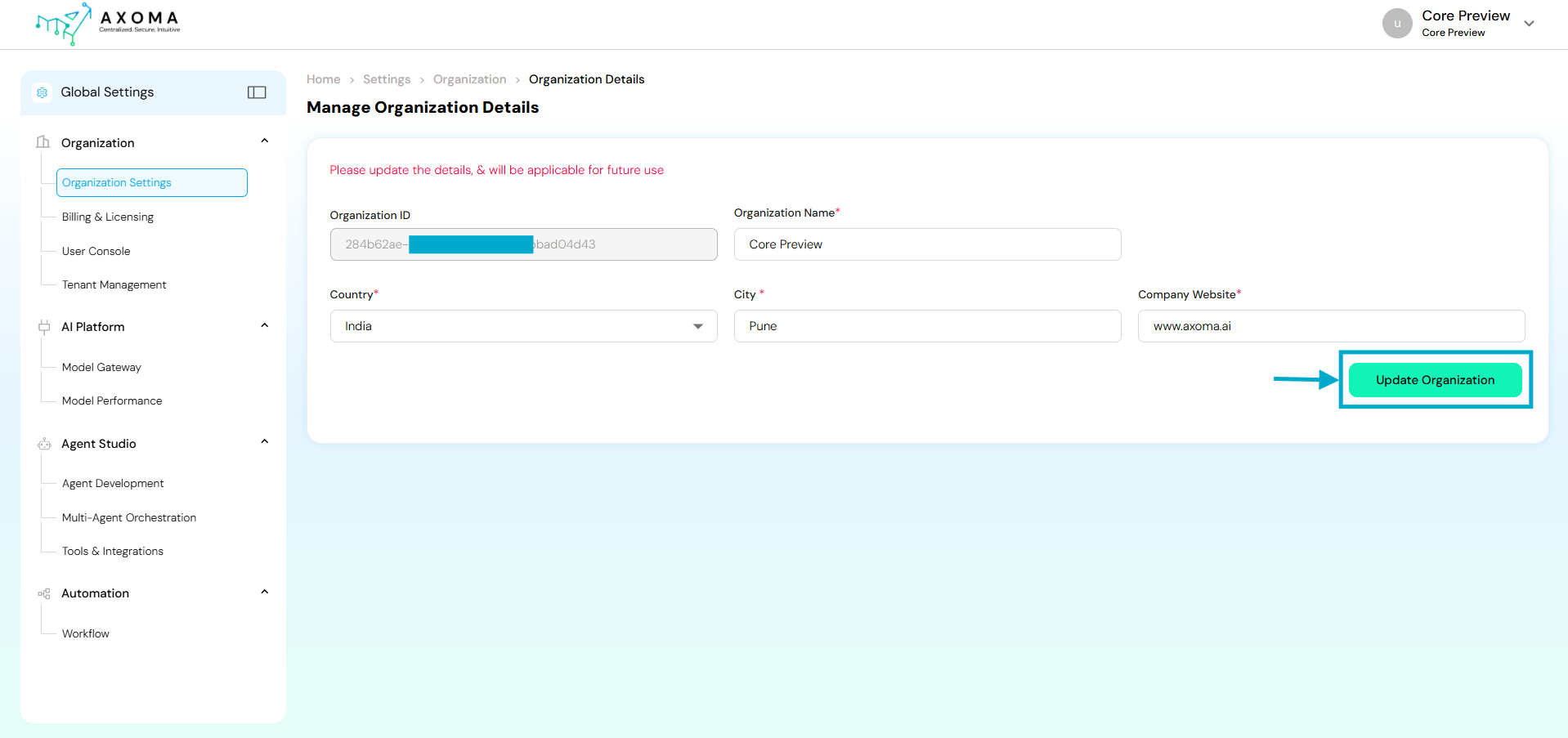 Navigation:
Global Settings → Organization → Organization Settings
## Fields and Their Descriptions
| Field Name | Description | Purpose/Use Case | |
| ----------------- | -------------------------------------------------------------------------- | ---------------------------------------------------------------------------------------------------------------------------------------------------------------------------------- | - |
| Organization ID | A unique, auto-generated alphanumeric identifier for the organization. | Acts as a system-level reference key to map users, tenants, and applications belonging to the same organization. This ID cannot be edited and ensures traceability across modules. | |
| Organization Name | The official name of the organization or business unit. | Displayed across all modules and dashboards. Changing this will reflect in future sessions and help in brand consistency. | |
| Country | The country where the organization is headquartered or primarily operates. | Determines default regional settings such as time zone, localization, and compliance configurations. | |
| City | The primary city or office location of the organization. | Helps in geo-based analytics and operational reports, ensuring accuracy in organization-level insights. | |
| Company Website | The official website URL of the organization. | Provides a direct link for users and system references. Also used in system-generated reports or communication templates for brand authenticity. | |
### Use Cases
Initial Organization Setup:
During the first-time Axoma platform configuration, the Super Admin defines core details such as organization name, location, and website.
Rebranding or Corporate Updates:
If the company undergoes a rebranding or office relocation, admins can easily update the name or city without disrupting operations.
### Best Practices
* Ensure the Organization Name matches the legal business name used in billing and contracts.
* Keep the Company Website updated this link may appear in automated system communications.
* Update Country and City promptly if the organization shifts base or adds new operational hubs.
* Changes should be performed by Super Admins only to prevent configuration conflicts.
Navigation:
Global Settings → Organization → Organization Settings
## Fields and Their Descriptions
| Field Name | Description | Purpose/Use Case | |
| ----------------- | -------------------------------------------------------------------------- | ---------------------------------------------------------------------------------------------------------------------------------------------------------------------------------- | - |
| Organization ID | A unique, auto-generated alphanumeric identifier for the organization. | Acts as a system-level reference key to map users, tenants, and applications belonging to the same organization. This ID cannot be edited and ensures traceability across modules. | |
| Organization Name | The official name of the organization or business unit. | Displayed across all modules and dashboards. Changing this will reflect in future sessions and help in brand consistency. | |
| Country | The country where the organization is headquartered or primarily operates. | Determines default regional settings such as time zone, localization, and compliance configurations. | |
| City | The primary city or office location of the organization. | Helps in geo-based analytics and operational reports, ensuring accuracy in organization-level insights. | |
| Company Website | The official website URL of the organization. | Provides a direct link for users and system references. Also used in system-generated reports or communication templates for brand authenticity. | |
### Use Cases
Initial Organization Setup:
During the first-time Axoma platform configuration, the Super Admin defines core details such as organization name, location, and website.
Rebranding or Corporate Updates:
If the company undergoes a rebranding or office relocation, admins can easily update the name or city without disrupting operations.
### Best Practices
* Ensure the Organization Name matches the legal business name used in billing and contracts.
* Keep the Company Website updated this link may appear in automated system communications.
* Update Country and City promptly if the organization shifts base or adds new operational hubs.
* Changes should be performed by Super Admins only to prevent configuration conflicts.