
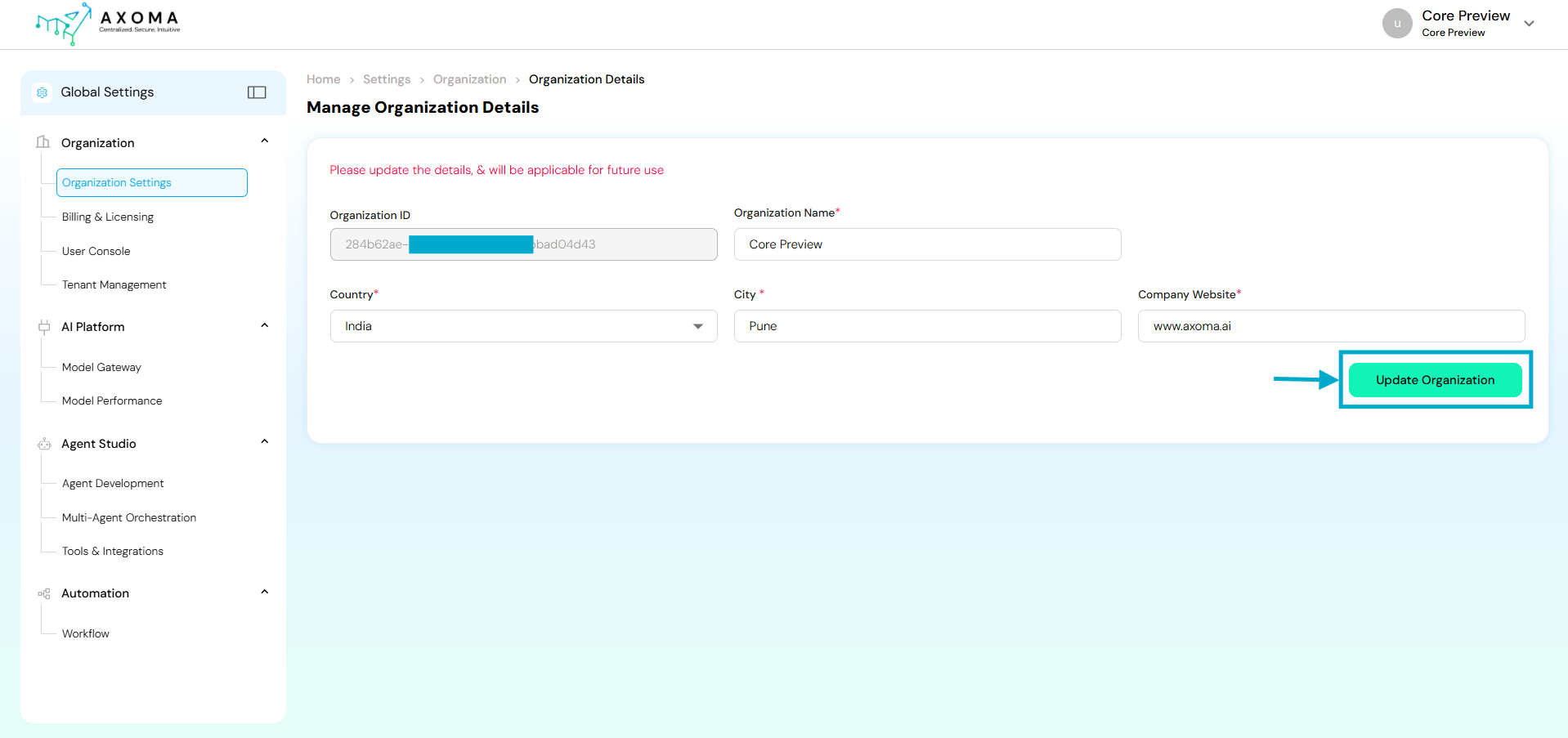
Navigation:
Global Settings → Organization → Organization Settings
Fields and Their Descriptions
| Field Name | Description | Purpose/Use Case | |
|---|---|---|---|
| Organization ID | A unique, auto-generated alphanumeric identifier for the organization. | Acts as a system-level reference key to map users, tenants, and applications belonging to the same organization. This ID cannot be edited and ensures traceability across modules. | |
| Organization Name | The official name of the organization or business unit. | Displayed across all modules and dashboards. Changing this will reflect in future sessions and help in brand consistency. | |
| Country | The country where the organization is headquartered or primarily operates. | Determines default regional settings such as time zone, localization, and compliance configurations. | |
| City | The primary city or office location of the organization. | Helps in geo-based analytics and operational reports, ensuring accuracy in organization-level insights. | |
| Company Website | The official website URL of the organization. | Provides a direct link for users and system references. Also used in system-generated reports or communication templates for brand authenticity. |
Use Cases
Initial Organization Setup: During the first-time Axoma platform configuration, the Super Admin defines core details such as organization name, location, and website. Rebranding or Corporate Updates: If the company undergoes a rebranding or office relocation, admins can easily update the name or city without disrupting operations.Best Practices
- Ensure the Organization Name matches the legal business name used in billing and contracts.
- Keep the Company Website updated this link may appear in automated system communications.
- Update Country and City promptly if the organization shifts base or adds new operational hubs.
- Changes should be performed by Super Admins only to prevent configuration conflicts.

