
Home → Global Settings → AI Platform → Model Performance
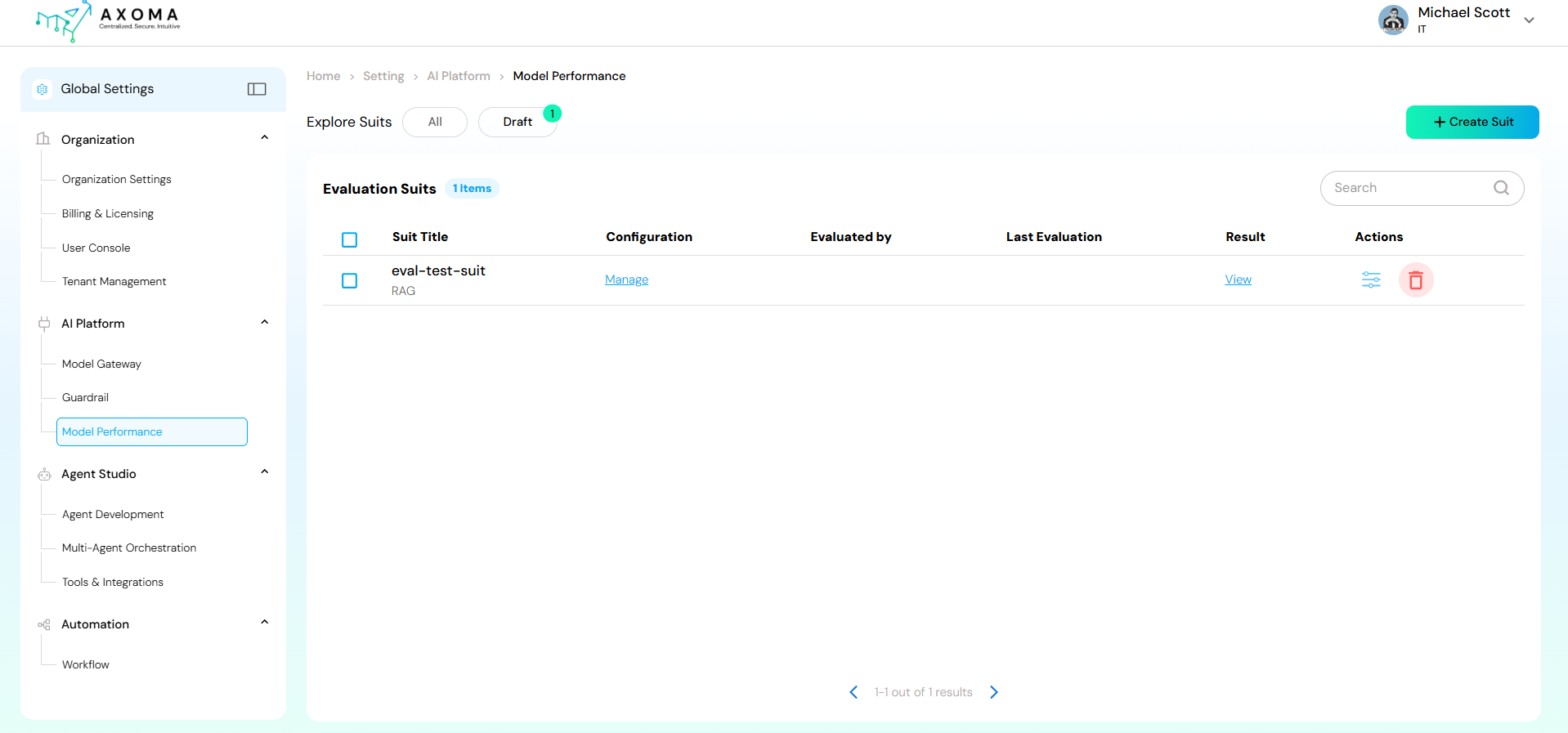 This module serves as a centralized dashboard to:
-
- Create and manage model evaluation suits (test configurations).
-
- Compare model outputs against defined metrics.
-
- Track evaluation results and performance trends.
-
- Maintain historical performance records for analysis and improvement. The + Create Suit button (top-right corner) enables users to initiate a new model performance evaluation setup.
-
- Define evaluation parameters and configurations.
-
- Select models for testing.
-
- Assign evaluators or data sources.
-
- Save the suit as a draft or execute it directly for results.
Functional Flow
-
- Access the Module: Navigate to Global Settings → AI Platform → Model Performance.
-
- View Evaluation Suits: Browse or search existing evaluation suits.
-
- Create New Suit: Click + Create Suit to define and configure a new evaluation setup.
-
- Run Evaluations: Execute the configured suits to assess model performance.
-
- Review Results: Analyse the displayed outcomes in the Result column.